Govern cloud cost at scale by making ownership and tagging mandatory, encoding cost rules as policy-as-code that runs in CI and against live accounts, automating the routine fixes (rightsizing, idle cleanup, schedules, commitment coverage), and reporting unit costs and savings per team and per deployment on a regular cadence. Choose on-demand, committed, and spot pricing per workload based on how steady and interruptible it is; Control Plane’s Capacity AI right-sizes CPU and memory for eligible workloads, and Control Plane bills for the CPU and memory a workload reserves, with no contracts or minimums, across AWS, GCP, Azure, and your own servers.
Disclosure: Control Plane publishes this guide.
TL;DR
- Ownership and tagging. Every resource carries owner, application, environment, and cost-center tags from creation; without them there is no allocation or accountability.
- Policy-as-code. Encode cost rules in tools such as Open Policy Agent and Cloud Custodian, run them in CI and against live accounts, and move from warnings to blocks as rules mature.
- Automated remediation. Automate low-risk fixes such as schedules and idle cleanup; keep a human on rightsizing, commitments, and deletions that could hit live systems.
- Savings tracking. Separate avoided cost from realized savings, normalize for growth, and report unit costs per request, customer, or environment.
- Pricing models. Cover the steady baseline with commitments, run variable demand on demand, and move interruptible work to spot.
- On Control Plane, Capacity AI right-sizes CPU and memory reservations from historical usage, billing follows what workloads reserve with no contracts or minimums, and one platform spans clouds and your own servers.
What is the most effective governance and automation approach for enforcing cloud cost optimization policies at scale?
The FinOps Foundation framework gives the operating model in three phases: Inform (make costs visible), Optimize (act on them), and Operate (build cost discipline into daily work). A central team sets standards, tag taxonomy, and reporting. Product teams own their budgets and optimization decisions. Automation handles the repetitive enforcement no central team can do by hand.
Ownership and mandatory tags
Tags turn a bill into accountable line items, so enforce them where resources are created.
- AWS tag policies standardize tags across an organization, and service control policies can deny actions that lack required tags.
- Azure Policy can deny resources missing required tags or add default values.
- Google Cloud organization policies restrict allowed regions, services, and configurations, while labels and tags on projects and resources carry ownership; required labels need custom constraints or CI checks.
A minimum tag set is owner, application, environment, and cost center. Temporary resources should also carry an expiry date.
Policy-as-code
Cost rules written as code are testable, versioned, and enforceable at several points in the delivery pipeline.
- Open Policy Agent (OPA) evaluates policies against infrastructure-as-code plans, Kubernetes admission requests, and APIs.
- Cloud Custodian runs rules against live cloud accounts to catch drift and violations after deployment.
- Infracost shows cost estimates on pull requests so engineers see the cost change before merging.
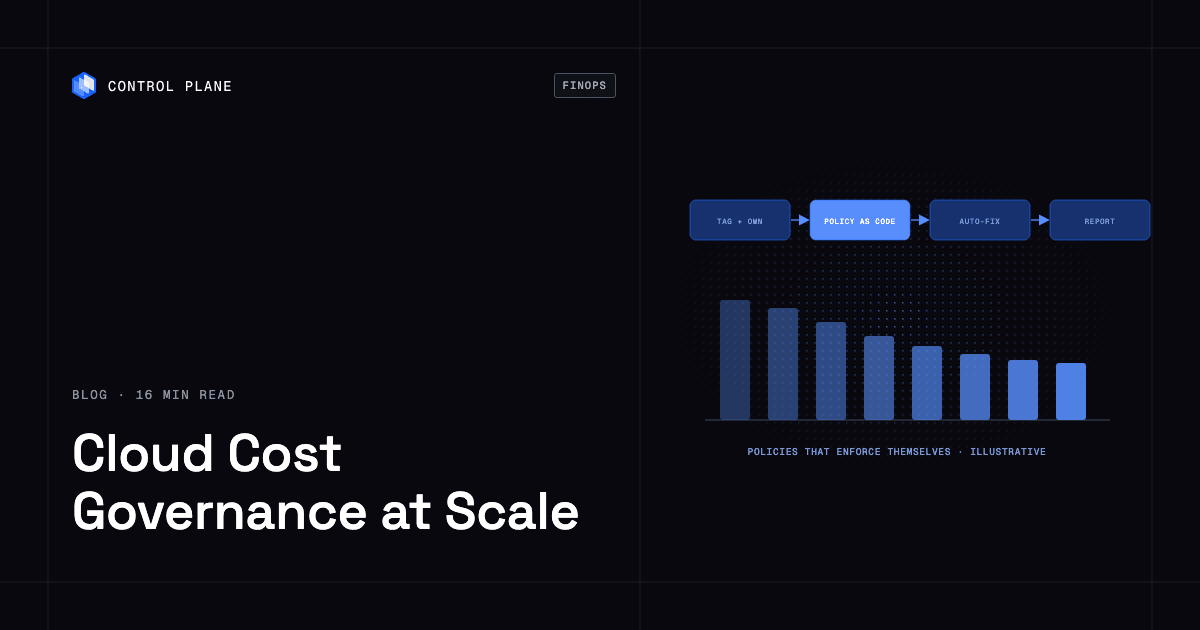
Enforce in stages: inform through dashboards, warn on deployments or approvals, block only clear violations such as a prohibited instance type in production, and auto-fix where risk is low, such as stopping an expired development environment.
| Policy | Where it runs | Action |
|---|---|---|
| Required tags present | CI (plan stage) | Block merge if missing |
| Maximum VM size per environment | CI and account | Warn in development, block in production |
| Untagged resource older than seven days | Account (scheduled scan) | Notify owner, then quarantine |
| Budget threshold or forecast exceeded | Account (provider budgets) | Alert owner and FinOps team |
| Idle load balancer detected | Account (scheduled scan) | Notify owner, delete after owner approval |
| Non-production running after hours | Runtime (scheduler) | Stop automatically, allow self-service restart |
Budgets and anomaly detection
Each provider ships budgets and anomaly alerts.
- AWS Budgets and AWS Cost Anomaly Detection track actual and forecast spend and flag unusual patterns.
- Azure Cost Management budgets alert on thresholds and can trigger automation.
- Google Cloud budgets send alerts and can publish to Pub/Sub for programmatic responses.
Set budgets by account, business unit, product, and environment, each with a named owner, and alert on forecast overruns as well as actual spend so teams act before the period closes. When an anomaly fires, find the account, service, resource, and owner, confirm whether the change was intended, fix it if not, record the cause, and adjust the policy or threshold.
Which cost fixes should you automate?
Automation turns policies into controls, but only some fixes are safe to run without review.
Safe to automate:
- Stopping development, staging, and preview environments outside working hours, with self-service restart.
- Deleting unattached volumes, and snapshots outside retention policy, after a notice period to the owner.
- Moving objects to cheaper storage tiers with lifecycle rules.
- Adding default tags to untagged resources, or quarantining them.
Needs human review:
- Rightsizing. Provider advisors (AWS Compute Optimizer, Azure Advisor, Google Cloud recommenders) suggest smaller instances, but averages can hide bursts.
- Commitment purchases. Check utilization history, forecasts, migration plans, and break-even dates before committing.
- Deleting idle databases or load balancers, only after owner approval, since they may be idle because of an incident or a paused launch.
Autoscaling sits between the two. It adjusts capacity continuously, while its minimums, maximums, and targets deserve periodic review. In Kubernetes, the gap between requested and used CPU and memory is often the largest waste, so track request utilization per namespace and adjust requests from usage percentiles.
Best solutions for tracking cost savings per deployment across multiple projects with dashboards and updates
Allocation. Tags and labels map resources to teams, products, and environments. Split shared costs, such as a shared cluster or database, by a usage measure like CPU-hours, requests, or storage. Separate accounts or projects per team simplify allocation, though shared platforms still need splitting.
Showback and chargeback. Showback reports costs to teams; chargeback bills them. Most organizations start with showback and move to chargeback once tagging and trust in the data mature.
Unit economics. Track cost per customer, per request, or per environment. For example, if total spend rises 20 percent while cost per request falls 15 percent, efficiency improved even though the bill grew.
Honest savings. Document a baseline period. Report avoided cost (spend that never happened) separately from realized savings (a lower bill), and normalize for traffic growth and architecture changes. For commitments, report coverage, utilization, effective savings rate, unused commitment cost, and break-even date.
Cost per deployment. Record deploy timestamps per service, then compare the service’s unit cost in equal windows before and after each release. In Kubernetes, allocate cost with OpenCost by a workload label that carries the release version.
Multi-cloud data. The FOCUS specification (FinOps Open Cost and Usage Specification) defines a common billing schema across providers, which reduces the custom normalization multi-cloud dashboards need.
| Metric | Audience | Cadence |
|---|---|---|
| Spend by team and environment | FinOps team, leadership | Weekly |
| Unit cost (per request, per customer) | Engineering leads | Weekly |
| Realized savings against baseline | FinOps team, finance | Monthly |
| Commitment utilization and coverage | FinOps team | Weekly |
| Cost change per release | Engineering teams | Each release |
| Anomaly alerts | Resource owners | As they fire |
| Idle resource inventory | Engineering teams | Weekly |
| Tag coverage (percent of spend allocated) | FinOps team | Weekly |
What FinOps software options are available?
FinOps tools fall into four categories.
- Native cloud tools. AWS Cost Explorer, Azure Cost Management, and Google Cloud billing reports give first-party visibility, budgets, and recommendations within one provider.
- Open source. OpenCost, a CNCF incubating project, allocates Kubernetes costs by namespace, workload, and label and can add cloud costs from outside the cluster, without a commercial license.
- Third-party FinOps platforms. Commercial platforms combine billing across providers, automate commitment management, and add reporting for large multi-cloud estates.
- Pre-deployment estimation. Infracost and similar tools show cost changes on pull requests.
For a comparison of tools in each category, see the cloud cost optimization tools roundup.
How do I optimize cloud and hybrid deployments to reduce overall IT spend?
Place each workload where its cost profile fits, then remove duplication.
- Match workload to venue. Steady, predictable workloads often cost less on committed capacity or owned hardware; bursty workloads benefit from cloud elasticity.
- Watch data transfer. Egress between regions, between clouds, and to the internet, plus cross-zone traffic and NAT gateway processing charges, are the costs hybrid designs most often miss. Keep compute next to its data, cache close to users, and compress payloads.
- Use owned hardware for steady load. Over a multi-year horizon, owned or colocated servers can cost less than on-demand cloud for stable demand, at the price of elasticity and operations work. See the cloud vs. on-premises vs. hybrid cost comparison.
- Consolidate. Retire duplicate tools, clusters, and environments, and right-size per-core or per-VM licenses before renewal.
For tactics that lower an AWS bill without re-architecting, see cutting your AWS bill 30 percent.
What are the most cost effective cloud virtual machine providers and pricing models?
The cheapest model depends on how steady and interruptible each workload is.
| Model | AWS | Azure | Google Cloud | Commitment | Interruption risk | Fits |
|---|---|---|---|---|---|---|
| On-demand | On-Demand Instances | Pay-as-you-go | On-demand VMs | None | None | New, short-lived, or spiky workloads |
| Resource commitment | Reserved Instances | Azure Reservations | Resource-based committed use discounts | 1 or 3 years, instance family or vCPU/memory quantity in a region | None | Steady workloads with stable instance types and regions |
| Spend commitment | Savings Plans | Azure savings plan for compute | Compute flexible committed use discounts (spend-based) | 1 or 3 years, hourly spend | None | Stable spend across instance families or regions |
| Automatic discount | None | None | Sustained use discounts on older machine types (N1, N2, N2D, C2, M1, M2) | None | None | VMs that run much of the month |
| Spot | Spot Instances | Azure Spot Virtual Machines | Spot VMs | None | Reclaimable on short notice (AWS 2 minutes, Azure and Google Cloud 30 seconds) | Batch, CI, analytics, development |
Discounts vary by instance type, region, term, and payment option. AWS lists savings of up to 72 percent for Reserved Instances and up to 66 percent for Compute Savings Plans; check each provider’s pricing pages for current figures.
Rightsize first, then commit. Review 30 to 90 days of utilization, size the steady baseline, cover it with commitments, run the variable portion on demand, and move interruptible jobs to spot with retry and checkpointing. Ladder commitments with staggered purchases and expiry dates, and favor spend-based plans where instance families may change. Independent and bare-metal providers often price by flat monthly rates, which suit steady workloads that do not need elasticity.
How Control Plane fits
Control Plane is the platform for running unbreakable apps and agents. It combines any cloud, neocloud, and bare metal into Control Plane’s Global Virtual Cloud (GVC), a set of locations a workload runs across, and runs serverless, standard, stateful, and cron workloads on AWS, GCP, and Azure, on Kubernetes clusters you already run, and on your own machines turned into managed locations, including on premises.
Pay for what you reserve. Billing is for the CPU and memory a workload reserves, with no contracts or minimums. Capacity AI, Control Plane’s right-sizing of CPU and memory based on historical usage, sets that reservation between a minimum and maximum you choose. Control Plane also bills egress, storage, observability, dedicated load balancers, and GPUs, as listed on the pricing page. Capacity AI is not used for GPU workloads or for workloads that autoscale on CPU utilization or on multiple metrics.
Scale to zero. Serverless workloads scale to zero natively, and standard and stateful workloads can scale to zero through KEDA, enabled per GVC, so idle environments stop reserving capacity.
Redundancy without idle standby. A workload deployed to a GVC runs active-active in every location of that GVC, and a global endpoint routes each request to the nearest healthy location, so redundancy does not require an idle standby copy. See active-active vs. active-passive costs. The 99.999% availability SLA applies to workloads running at least two replicas in at least two locations. Those locations can be two regions of one cloud or locations on different providers.
Visibility. A Cost & Usage view shows spend per org and per resource with a projected total, a billing_viewer role gives read-only access, and a monthly spend alert goes to billing admins. Control Plane ships Terraform and Pulumi providers, so workloads sit in the same infrastructure-as-code review as everything else.
Operations. Control Plane handles Day 2 operations for you, including autoscaling, Capacity AI right-sizing, built-in observability, and security, with no Kubernetes cluster you have to operate. Steady workloads can run on your own servers under the same management as cloud locations.
Customers typically cut compute costs 30 to 50 percent compared with running directly on AWS, GCP, or Azure. Control Plane is PCI DSS Level 1, SOC 2 Type II, HIPAA, and GDPR compliant.
FAQ
Short answers to common cost governance questions.
What is the most effective governance and automation approach for enforcing cloud cost optimization policies at scale?
Mandatory ownership tags enforced at creation, policy-as-code in CI and against live accounts, automated low-risk fixes, and staged enforcement that warns before it blocks, run under the FinOps Foundation’s Inform, Optimize, Operate model.
What are the best solutions for tracking cost savings per deployment across multiple projects with dashboards and updates?
Mark deploy times per service, compare unit cost in equal windows before and after each release, normalize billing data with the FOCUS specification, and report cost change at each release, unit costs weekly, and realized savings monthly.
What FinOps software options are available?
Native cloud cost tools, open-source OpenCost for Kubernetes allocation, and commercial multi-cloud FinOps platforms. The cost optimization tools roundup compares them.
How do I optimize cloud and hybrid deployments to reduce overall IT spend?
Put steady workloads on committed capacity or owned hardware, keep bursty ones elastic, keep compute next to its data to limit egress, and consolidate duplicate tools and clusters.
What are the most cost effective cloud virtual machine pricing models?
Commitments (Reserved Instances, Savings Plans, Azure Reservations and savings plans, Google committed use discounts) for the steady baseline, on-demand for variable demand, and spot for interruptible work. Rightsize before committing.
How does policy-as-code help control cloud costs?
It turns cost rules into versioned, testable checks that block expensive configurations in CI and catch drift in live accounts, reducing manual review for routine rules.
Which cost fixes are safe to automate?
Non-production schedules, cleanup of unattached volumes and old snapshots after notice, storage lifecycle rules, and tag enforcement. Rightsizing and commitments need human review, and idle databases or load balancers are deleted only after owner approval.
When should I use spot instances versus reserved capacity?
Spot for work that tolerates interruption, such as batch, CI, analytics, and development; reserved capacity or savings plans for steady production demand.
How should I structure cloud budgets across teams?
Set budgets per account, business unit, product, and environment, give each a named owner, and alert on forecast overruns as well as actual spend.
How does Control Plane help control cloud costs?
Capacity AI right-sizes reserved CPU and memory for eligible workloads, and billing follows those reservations with no contracts or minimums. Serverless workloads scale to zero natively, standard and stateful workloads can scale to zero through KEDA enabled per GVC, and active-active locations remove the need for idle standby copies.
Talk to the Control Plane team or sign up free to see how Capacity AI right-sizes reservations across your clouds and servers.